
After submitting your Benin e-Visa application, you can track its status in real time through the official government portal at evisa.bj. All you need is your application reference number – the unique ID you received by email when you submitted your application. The tracking tool is free, available 24/7, and works from any device with an internet connection.
This guide explains exactly how to check your Benin visa application status, what each status message means, how long processing typically takes, and what to do if something goes wrong.
How to Check Your Benin Visa Application Status
The only official way to check your Benin e-Visa status is through the government portal at evisa.bj. Third-party websites or agents may claim to offer tracking, but the official portal is the authoritative source for real-time application updates.
The process is straightforward:
- Go to evisa.bj
- Click “Suivre votre demande” (Track your application) on the homepage
- Enter your application reference number in the form
- Click “Envoyer” (Submit)
- View your current application status
Your application reference number was sent to you by email immediately after you completed your e-Visa submission. It is a unique identifier – keep it safe and do not share it publicly.
Where can I check my Benin visa status?
Check your Benin visa status at evisa.bj, the official government portal. Click “Suivre votre demande” on the homepage, enter your application reference number, and view your current status instantly.
Step-by-Step Guide to Checking Your Status
Step 1: Visit the Official Portal
Open your browser and navigate to evisa.bj. The portal loads in French by default. If you prefer English, use the language selector in the top navigation bar to switch. The status tracking tool works identically in both languages.
Step 2: Find the Status Tracking Tool
On the evisa.bj homepage, look for the “Suivre votre demande” button. This is prominently displayed alongside the main “Demander un e-visa” (Apply for an e-visa) button. Click it to open the status check form.
Step 3: Enter Your Application Number
A form will appear asking you to enter your application reference number (“Veuillez renseigner le numero de votre demande”). Type or paste your reference number exactly as it appeared in your confirmation email. The field is case-sensitive, so enter it precisely.
Step 4: Submit and View Your Status
Click the “Envoyer” button. The portal will display your current application status within seconds. No login is required – the reference number alone is sufficient to retrieve your application details.
Step 5: Note the Status and Next Steps
Take note of the status displayed. If your visa has been approved, you will typically receive the e-Visa document by email as well. If additional documentation is needed, the status or follow-up email will explain what to provide.
How do I find my Benin visa application number?
Your Benin e-Visa application reference number is sent to your email address immediately after you submit your application on evisa.bj. Check your inbox and spam/junk folder for an email from the Benin government portal. If you cannot find it, check the email address you used during the application process.
Understanding Your Application Status
When you check your application, you will see one of several status indicators. Here is what each one means:
Application Submitted (Demande soumise)
Your application has been received by the system and is waiting to be reviewed. This is the initial status for all new applications. No action is required from you at this stage.
Under Review (En cours de traitement)
An immigration officer is actively reviewing your application and supporting documents. This is the most common status during the standard processing window of 24 to 48 business hours.
Additional Information Required (Informations supplementaires necessaires)
The reviewing officer needs clarification or additional documents. You will typically receive a follow-up email specifying what is needed. Respond promptly to avoid further delays.
Approved (Approuvee)
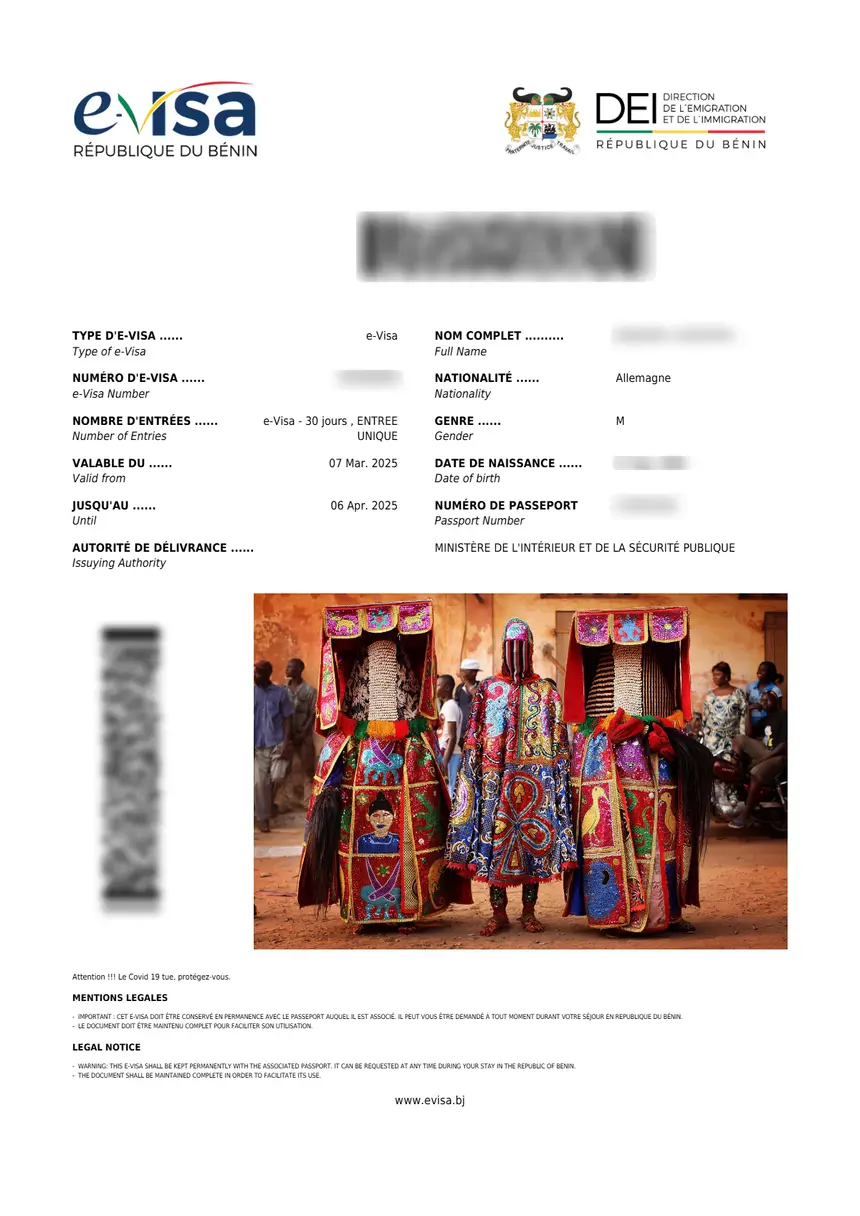
Your e-Visa has been approved. The approved visa document will be sent to your email address as a PDF attachment. Print it or save it on your phone for presentation at immigration upon arrival in Benin.
Rejected (Rejetee)
Your application has not been approved. This can happen due to incomplete documentation, passport validity issues, or other eligibility concerns. You may reapply with corrected information or contact the portal for clarification.
Benin Visa Processing Times
Standard e-Visa processing takes 24 to 48 business hours. This is the typical timeframe from submission to approval for most applicants. However, several factors can influence how long your specific application takes:
| Factor | Impact on Processing Time |
|---|---|
| Complete documentation | Fast – standard 24-48 hours |
| Missing or unclear documents | Slow – may require resubmission |
| Application during holidays | Slow – Benin public holidays delay processing |
| High-volume periods | Moderate – may take up to 72 hours |
| Multiple-entry visa | Standard – same processing time |
Business hours for processing purposes are Monday to Friday, 8:00 AM to 5:00 PM West Africa Time (WAT, UTC+1). Applications submitted on weekends or Benin public holidays will begin processing on the next business day.
Typical Timeline
| Day | Expected Progress |
|---|---|
| Day 0 | Application submitted, confirmation email received |
| Day 1-2 | Application reviewed and decision made |
| Day 2-3 | Approved visa delivered by email |
Most applicants receive their approved e-Visa within 1 to 3 calendar days. If you have not received a decision after 5 business days, check your status on evisa.bj and verify your email address is correct.
How long does it take to get a Benin e-Visa?
The Benin e-Visa typically takes 24 to 48 business hours to process. Most applicants receive their approved visa within 1 to 3 calendar days. Applications submitted on weekends or holidays begin processing on the next business day.
What to Do If Your Application Is Delayed
If your Benin visa application has been pending for more than 5 business days, take the following steps:
1. Check Your Status Online
Visit evisa.bj and use the status tracking tool with your reference number. The status may reveal that additional information is needed, which explains the delay.
2. Check Your Email (Including Spam)
The Benin government portal sends status updates and requests for additional documents by email. Check your spam or junk folder, as automated government emails are sometimes filtered. Search for emails from the evisa.bj domain.
3. Verify Your Application Details
If you made an error in your application – such as an incorrect passport number, misspelled name, or wrong email address – this could cause delays or communication issues. Review your original confirmation email to verify the details are correct.
4. Contact the Portal
If none of the above resolves the issue, you can reach the evisa.bj support team through the “Contact” page on the portal. Provide your application reference number and a clear description of the issue. Response times vary, but most inquiries are answered within 1 to 2 business days.
5. Reapply if Necessary
In rare cases where an application is lost or stuck due to a technical error, you may need to submit a new application. This should be a last resort after exhausting other options. Keep your payment receipt – duplicate charges can sometimes be resolved with the portal administrators.
Common Questions About Benin Visa Status
Can I check my Benin visa status without my application number?
No. The application reference number is required to look up your status on evisa.bj. If you have lost your reference number, check the confirmation email sent when you submitted your application. Search your email inbox for messages from the evisa.bj domain.
Will I be notified when my visa is approved?
Yes. The approved e-Visa document is sent to the email address you provided during your application. You will also receive notifications if the status changes or if additional information is required. However, it is good practice to check your status manually as well, in case emails are delayed or filtered to spam.
Can I track someone else’s Benin visa application?
Yes, if you have their application reference number. The status check on evisa.bj only requires the reference number – no login or personal verification. This is useful for travel agents, family members, or employers managing multiple applications.
What if my application was rejected?
If your Benin e-Visa application is rejected, you can reapply. Common reasons for rejection include:
- Passport validity – Your passport must be valid for at least 6 months from your intended date of entry into Benin
- Incomplete documentation – Missing passport scan, unclear photo, or incomplete form fields
- Incorrect information – Discrepancies between your application and passport details
- Ineligible nationality – Some nationalities are visa-exempt and do not need an e-Visa; others may need to apply through an embassy
Review the rejection reason if provided, correct the issue, and submit a new application with the correct information and documents.
Can I change my travel dates after applying?
Once an application is submitted, you cannot edit it through the portal. If your travel dates change significantly and your visa has not yet been issued, contact the evisa.bj support team. If your visa has already been approved, note that the e-Visa validity period begins from the date of approval, not the date of entry – plan your travel accordingly.
Do I need to print my e-Visa?
It is strongly recommended to carry a printed copy of your approved e-Visa, even though immigration officers can also verify it electronically. A printed copy serves as a backup in case of system issues at the port of entry. Saving a digital copy on your phone is also advisable.
Tips for a Smooth Application and Status Check
Before applying:
– Ensure your passport is valid for at least 6 months from your intended entry date
– Have a clear, high-quality scan or photo of your passport bio page ready
– Prepare a recent passport-style photograph meeting standard requirements
– Use a reliable email address you check regularly
During application:
– Double-check all information against your passport before submitting
– Enter your name exactly as it appears on your passport
– Select the correct visa type for your travel purpose
– Save your application reference number immediately after submission
After applying:
– Check your email (including spam) daily for status updates
– Use the status tracking tool on evisa.bj if you have not heard back within 48 hours
– Print your approved e-Visa and carry it with your passport
– Keep a digital copy on your phone as backup
Summary
Checking your Benin visa application status is simple and takes just a few seconds through the official portal at evisa.bj. Navigate to the homepage, click “Suivre votre demande”, enter your application reference number, and view your current status instantly.
Standard processing takes 24 to 48 business hours, and approved e-Visas are delivered by email. Keep your reference number safe, check your spam folder for updates, and contact the portal directly if your application is delayed beyond 5 business days.
For comprehensive information about Benin e-Visa types, fees, and the full application process, see our guides on Benin e-Visa, Benin visa fees, and Benin visa types.